Office 2016/2019 end of support

Hard to believe that even Microsoft Office 2019 (the last full edition of Office-standalone) is reaching end-of-support! Microsoft Technet Community has all the information you need on this and how it (can) effect you and your business. Support for Office 2016 and Office 2019 will end on October 14, 2025

Office 2016 and 2019 products reaching end of support on October 14, 2025
Office suitesOffice 2016Office 2019
Office applicationsAccess 2016Access 2019Excel 2016Excel 2019OneNote 2016Outlook 2016Outlook 2019PowerPoint 2016PowerPoint 2019Project 2016Project 2019Publisher 2016Publisher 2019Skype for Business 2016Skype for Business 2019Visio 2016Visio 2019Word 2016Word 2019
Productivity serversExchange Server 2016Exchange Server 2019Skype for Business Server 2015Skype for Business Server 2019

Recommended path: Migrate to the cloud with Microsoft 365 E3

Our recommendation for customers seeking a comprehensive, AI-ready solution is to transition to the cloud with Microsoft 365 E3. Microsoft 365 E3 provides an end-to-end solution for securely harnessing the power of AI in your organization, including:

  • Always up-to-date versions of familiar apps like Word, Excel, PowerPoint and Outlook to install on up to 5 PCs + 5 tablets + 5 phones per user
  • Intelligent services like Exchange Online, SharePoint Online, OneDrive, and Microsoft Loop to help keep employees connected and in sync
  • Core security and information protection capabilities to help you safeguard your organization’s devices, applications, and sensitive data against threats
  • Streamlined endpoint management to enable faster deployment and help your workforce stay secure and productive across devices
  • Integrate generative AI seamlessly into core productivity workflows within Microsoft 365 Apps using Microsoft 365 Copilot (available as an add-on [1])

We know there is no “one-size-fits-all” approach for managing end of support – and we encourage you to explore our enterprise and small business offerings to find the right fit for your organization. As you do, keep in mind that only cloud suites (Microsoft 365 and Office 365) are eligible to be used with Microsoft 365 Copilot; on-premises versions of Office do not qualify.
Windows 10, now on 300 million PCs, won’t be free after July 29

I know this may not be NEW news, but it is relevant to some.  In efforts to strengthen the Windows Operating System brand, Microsoft released Windows 10 -free of charge! This easy upgrade allowed users of Windows 7, 8 and 8.1 to be brought up to the latest and greatest (and I mean Greatest!)  version of Windows to date. There is a catch, though…

Continue reading

Reading Offline

I came across a great article from a reputable business who specializes in Virtual Administration. Here’s a great tip for making use of your ‘downtime’ and catching up on reading…


Fill Your Pocket With Good Information

As a small business owner, my mind is constantly on learning new tips, keeping up with technology, and finding new ways to better assist my clients. If you are like me, that means you will often find yourself with a … Continue reading

Start-Up Company Free Resource

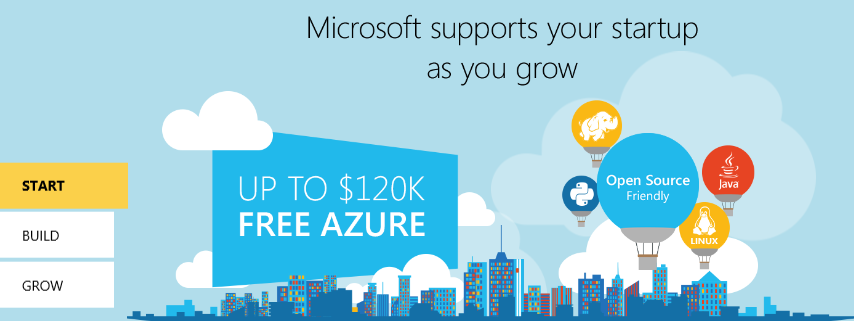
New Start-up Companies, here is a free resource for you! Let Microsoft help you grow your business with BizSpark

BizSpark

Join BizSpark for Free and gain access to:

  • 3 years free access to Azure (up to $750/mo)
  • Works with Linux, Java, PHP, etc…
  • Build Virtual Machines, Web Applications, Store Data, Create Mobile Apps

Requirements?

  • Your business is less than 5 years old
  • Privately held
  • and less than $1 million annual revenue

I encourage all new small businesses looking to gain an edge in the technology portion of their business to look over this offering and take advantage of this fantastic offer!

To learn more about BizSpark and how it can help you.. please visit them directly, Don’t just take my word for it 😉

Windows 10 Proves to be Solid

Many out there may still be wondering if Windows 10 is the way to go.  XP was very reliable and a good, solid Operating System… for it’s time.  Windows 7 eventually came along and now that has become the ‘standard’ for the next good, solid OS.  Well, folks, Windows 10 is out and the strongest yet in usability, function, and security. Here’s something the US Dept. of Defense (DoD) has to say about it!

US DoD Commits to upgrade 4M seats to Windows 10

Office 365 Planner

Microsoft is soon to be releasing Office 365 Planner and I have to say, I’m pretty excited about this!  For me and the work I do, this product is something I think I would live by. Working on so many different projects (each having their own set of teams, tasks, goals etc…), this would help me stay on course and on top of everything going on.  Currently, I use Outlook and OneNote to personally track all of this -occasionally MS Project, but it does get tedious and there are so many areas that are left in the gray spot.

If you are using Office 365 (for business, as I don’t believe Home or School will include this) -Please watch this video!

For more information on Office 365 Planner

https://www.youtube.com/watch?v=X9RZo_40q2k

Exchange Server 2016 Public Preview

Are you as excited as I am?? Just got notice that the public preview of E2016 is ready. I’m looking forward to playing with this in my lab environment.

Microsoft has announced the public release of Exchange Server 2016 Preview, available for download now.

Architectural Changes in Exchange Server 2016

The big change in the server roles architecture is the further consolidation of server roles into just two:

  • Mailbox server role
  • Edge Transport server role

The Mailbox server role consolidates both of the required Exchange Server 2013 roles (Mailbox and Client Access), and all of the required Exchange Server 2010 roles (Mailbox, Client Access, Hub Transport, and Unified Messaging) into a single server role.

Read more…